Run an nbn® connection test in Toolbox
If you're experiencing an issue with your nbn service, you can run an nbn® connection test in Toolbox.
This test is not available for nbn Satellite services.
Note: You can only have one active test at a time.
Note: You don't need to use a device that's connected to your nbn service to run the test. You can use a device connected to another internet service, such as a mobile phone, if needed.
- Make sure that the modem for your nbn service is turned on. We recommend checking for outages and turning your modem off for 60 seconds then turning it back on again before running the test.
- Log in to Toolbox.
- If you have multiple nbn services on your account, make sure your affected nbn service is selected in the top-left.
- On the main Toolbox Dashboard, select Test My Connection.
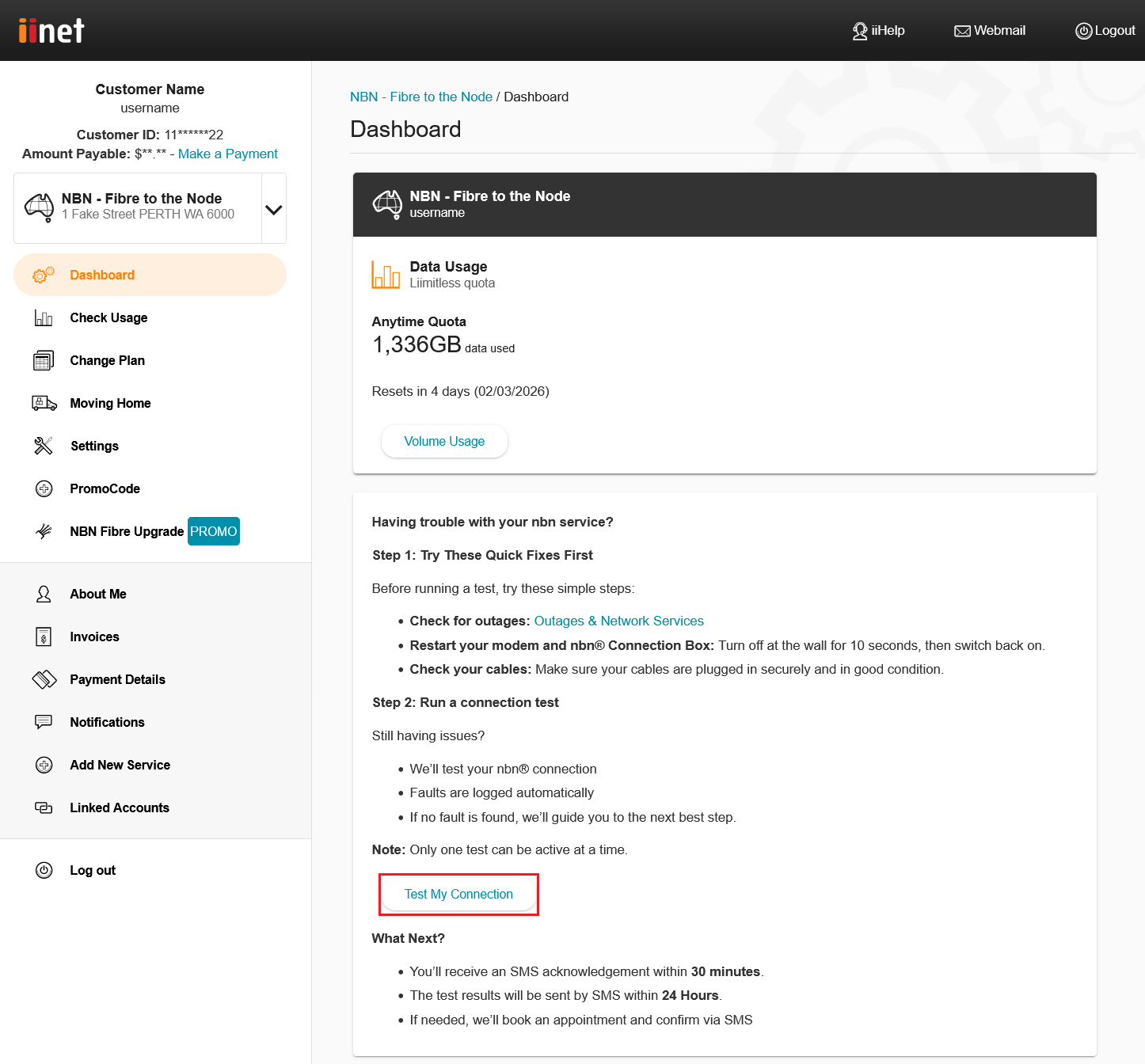
- An SMS will be sent to the contact mobile number on your iiNet account with information about the results of the test and the next steps to take.